What clubs actually want from a gym access control system
Almost nobody wants an access control system for its own sake. Clubs that search for one are trying to fix one of four things, and it is worth being honest about which one applies to you.
Stop people training on an expired membership. The most common and the most expensive problem, because it happens quietly.
Open 24/7 or in unstaffed hours without paying someone to sit at a desk at six in the morning.
Know who is actually in the building, for capacity, for safety and to see who has quietly stopped coming.
Control who enters which room: the premium area, the pool, the studio, the locker rooms.
A turnstile by itself solves none of them. It stops a body, not an expired subscription. What decides all four is whether the access point can read the membership and apply the club rules at the moment someone walks in. That is what a QR code check-in system does, and it works with or without a physical barrier.
How QR code access control works with Uptivo Gate
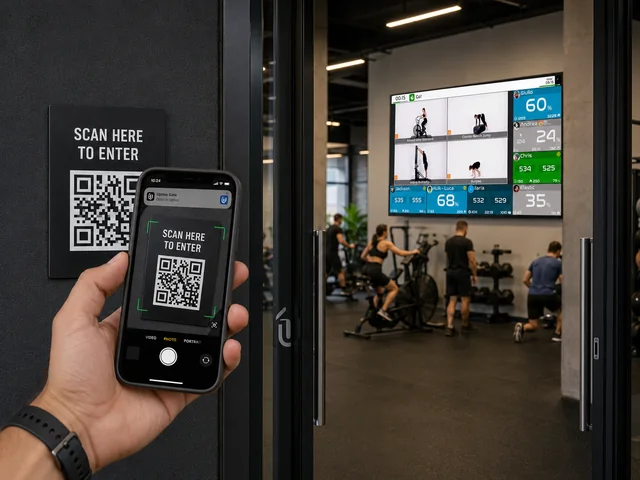
Uptivo Gate turns any door, turnstile or room entrance into a QR code access point. Members open the Uptivo App, scan the QR code printed at the door, and walk in. The app can carry your club's own name and icon as a white label app, and if you want it also handles class bookings and the purchase of packages. Three things do the work behind the scenes.
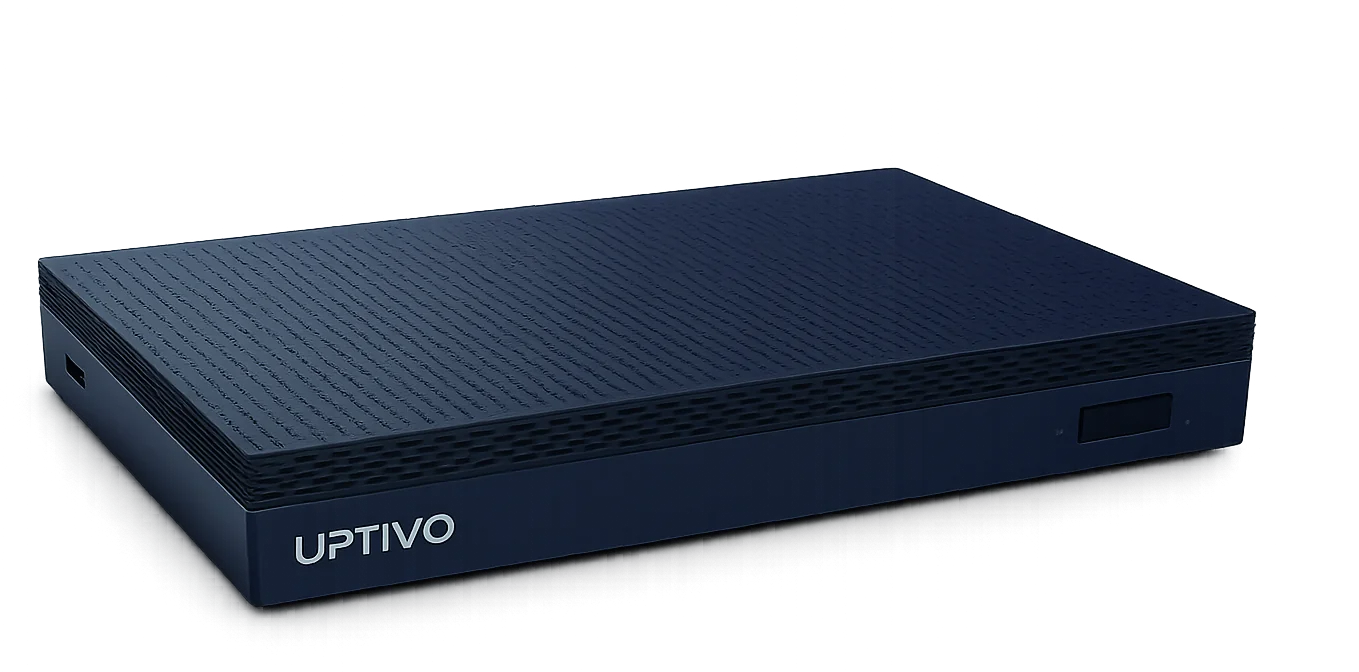
The bridge. One Uptivo Bridge for the whole club, a compact fanless box on the club network. It does the checking, and if the club later wants heart-rate screens, wearables or video workouts, it runs those too.
The relay. One Ethernet relay per door, turnstile or gate. The bridge commands it, and it opens only when every rule is met.
The cloud. Rules, logs and notifications are managed remotely. There is no on-site controller to install, patch or keep secure.
Every scan is a logged check-in, with or without a barrier. Gate is the club's check-in system and its access control in one.
With turnstiles and doors: controlled access
Need the door or the turnstile to stay closed until the rules say otherwise? Gate commands it through the relay and lets members in only when every policy is satisfied. The turnstiles you already have do not have to go: the relay wires to the barrier you own, so there is no dedicated controller and no reader cabling.
Without barriers: smart check-in
Where you do not need a physical barrier, the QR code on the wall is the access point. Members scan and walk in; if something needs attention, reception gets a notification immediately. Gate records who checked in and when. You decide, door by door, whether access is controlled or simply recorded.
What Gate checks at every door
Every access request is checked in real time against the rules you set. No manual checks at the desk, no awkward conversations.
Active membership. When it lapses, the door stops opening. Memberships live in the Uptivo CRM, so the subscription and the door are the same record.
Valid medical certificate. Where a certificate or fitness clearance is required, an expired one means no entry until it is renewed.
Access schedule. Off-peak plans, early-morning access, weekend passes: Gate applies the schedule to the minute.
Room permissions. Premium areas, studios and locker rooms open only to the members entitled to them.
Membership level. An upgrade unlocks new areas and time slots automatically.
Custom club rules. Your own conditions, applied at the door, so the door follows your policy and not the other way round.
Open 24/7 without staff at the door
Unstaffed hours are where an access system earns its keep. A membership that expired at 11 pm is refused at 11:01 pm. The member booked for the 6 am class gets in. Anyone outside their access schedule stays out. Every entry is logged, and reception is notified when a request needs a human decision, so you can extend your opening hours without extending the payroll.
QR code vs key fobs, cards and dedicated controllers
Most access control systems sold to gyms come as a dedicated controller plus a reader on every door, with fobs or cards for members, and typically cost several thousand per door once hardware and installation are in. Here is what changes when the access point is a QR code.
Hardware to buy. Dedicated systems: a controller plus a reader on every door. Fobs and cards: a reader on every door plus a badge for every member. Gate: one Ethernet relay per access point, plus one Uptivo Bridge for the whole club.
Installation. Dedicated systems need their own wiring and a specialist on site. Gate needs a relay on the network and rules set in the cloud.
Lost or forgotten credential. With badges, a new one is issued at the front desk. With Gate there is nothing to replace: the credential is the app.
Rooms and premium areas. With readers, one on every inside door. With Gate, a relay where there is a door and a QR code where there is not.
Data produced. Badge systems give you an entry log. Gate gives you the entry log plus attendance, peak hours and frequency per member.
Access points anywhere in the club
Gate is not limited to the main entrance. Create access points anywhere in the facility and decide who can enter, when and under which conditions: the functional training studio, the pool, the locker rooms, a premium area reserved for a specific membership. Where there is a door, the relay commands it. Where there is not, a QR code on the wall is enough.
From check-ins to club intelligence
Because the entry lives on the same platform as memberships, bookings, payments and training, every check-in is a data point about a member. Uptivo Dash shows attendance next to revenue and churn risk: how often each member actually comes, when the rooms are busiest, and who has quietly stopped showing up. And because Uptivo also records what members do once inside, attendance and training activity sit in the same member record. That is the information you need to spot members who are drifting away before they cancel.
Frequently asked questions
Does it work 24/7 when the club is unstaffed?
Yes. Gate checks every access request automatically, in real time, against the rules you set. If they are met, the relay opens the door or turnstile; if not, it stays closed. Every entry is logged, and reception is notified when a request needs a human decision.
Do we need to replace our turnstiles?
No. Gate commands the turnstiles, doors and gates you already have through an Ethernet relay on each access point. Where there is no barrier, the QR code alone works as a smart check-in point.
What hardware does it need?
One Uptivo Bridge for the whole club, plus one Ethernet relay for every door, turnstile or gate you want to control. No dedicated access controllers and no readers to wire on every door.
What stops a member letting a friend in?
The QR code at the door is the same for everyone and opens nothing by itself: what counts is the member account in the app that scans it. A friend would need the member's own phone and login, and the entry history shows every scan by account. Where a relay controls the door, it opens only on a valid check-in.
Do we have to move our membership management to Uptivo?
No. It works best with the Uptivo CRM, because that is where the check comes from. Where a management system has to stay in place, the open API connects the two.
How long does installation take?
Where the QR code alone is the access point there is nothing to mount, so a site is usually a matter of days. Where a door or turnstile is controlled, the Uptivo Bridge goes on the club network and each access point gets one relay, wired to the barrier you already have. The rules are set in the cloud.
Related: gym management software with training built in, and how Uptivo compares with the systems clubs use today.
See Gate on your club's doors
Tell us how your club is laid out, which doors and turnstiles you have and which rules you need at each one. We will show you what Gate needs in your club, with straight answers on relays, installation and pricing. Speak to an expert, or start from the Uptivo Gate product page.