
Six problems every personal trainer knows
Ask trainers what keeps them up at night and the list is always the same: the client who quietly disappears, the plan nobody follows, the hours of preparation nobody pays for, the session cancelled at 6:40 that you never manage to charge, and admin spread across five apps. Software does not train anyone, but it decides what the client sees between sessions, what you know about them, and how many hours of your week go unpaid. Here is what Uptivo does about each problem, in the order trainers usually mention them.
1. The plan is a PDF, and nobody follows a PDF
You write the programme in Excel, export it, send it on WhatsApp. The client opens it twice. They cannot watch the movement, they cannot follow it set by set, and when you want to change one exercise you send a new file. By week three the plan is a screenshot somewhere in their camera roll.
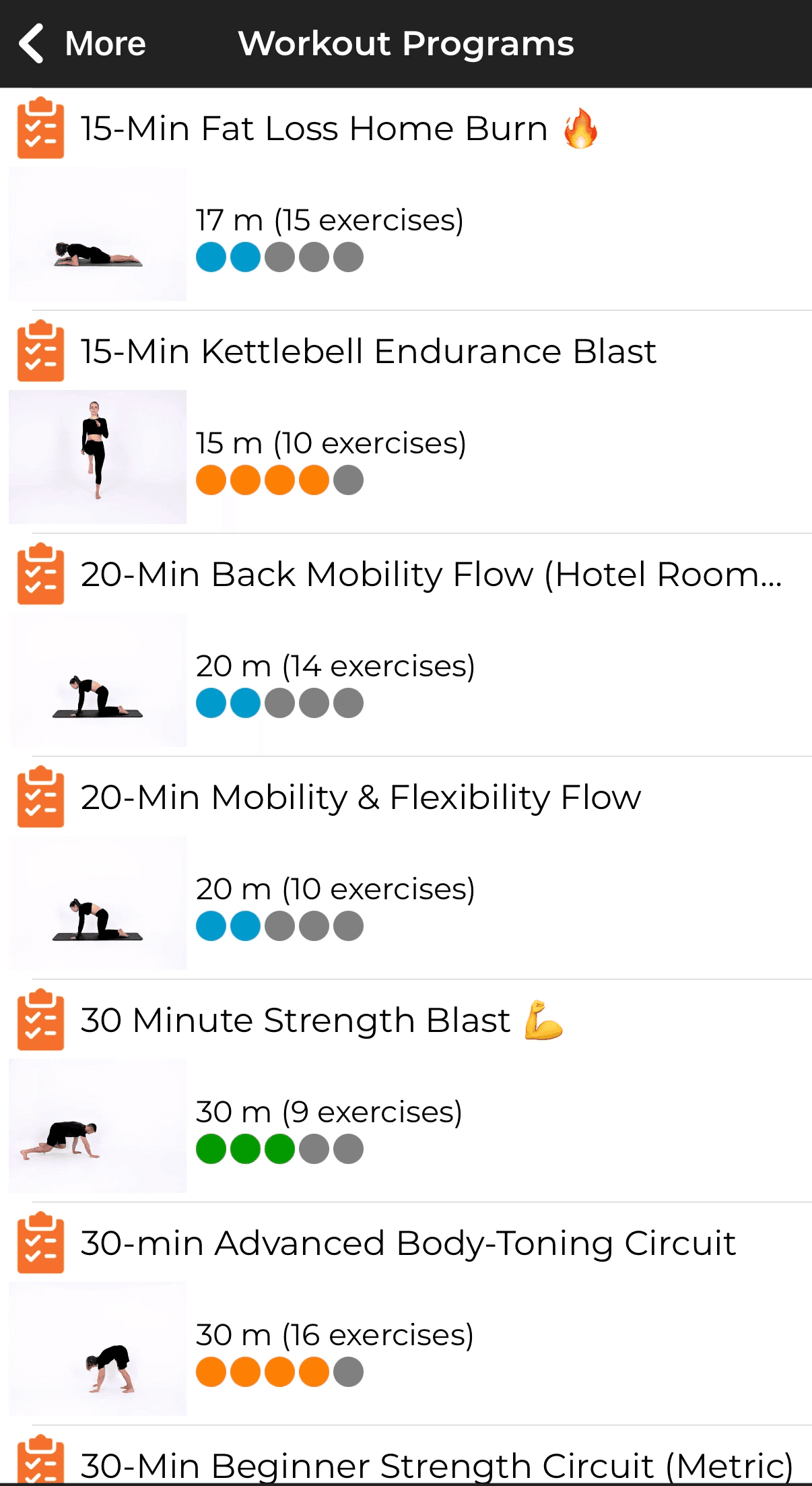
With Uptivo workouts and programming the plan lives in the Uptivo app on the client's phone: exercise by exercise, sets, reps, rest, with a video of every movement. The client follows it in the app, heart rate tracking syncs to the structured workout, and the session ends up in their training history instead of in a chat. You build programmes from your own templates or from scratch, assign the next block, and it is on their phone. No file to resend.
2. Your videos have no home, so they end up on YouTube
Your method is in your videos: the way you teach a hinge, the warm-up you built, the drill nobody else uses. Today those videos live on YouTube or in a Drive folder. YouTube surrounds them with adverts and other trainers and keeps the client scrolling after the set; Drive is a list of files with no connection to the plan. Either way, your work sits outside the product you sell.
In Uptivo you film the exercise where you run it, upload it from your phone, and it sits in the library next to more than 1,350 professional exercise videos, filtered by muscle group, equipment and training type. Your videos appear inside the plan, at the right exercise, for your clients. No storage limit, no per-video fee, and the content stays yours.
3. The hours nobody pays for
A personalised programme is not twenty minutes of work, unless it is a template from the internet. Reading eight weeks of a client's sessions, their sleep and their week outside the gym, then writing the next block and the message that goes with it, is two hours for one person, usually at home and usually unpaid. That is why a good trainer carries around twenty clients one to one, fifty in small groups, and not more: the ceiling is preparation time, not floor time. And the follow-up message that keeps a client engaged is the first thing to be skipped.
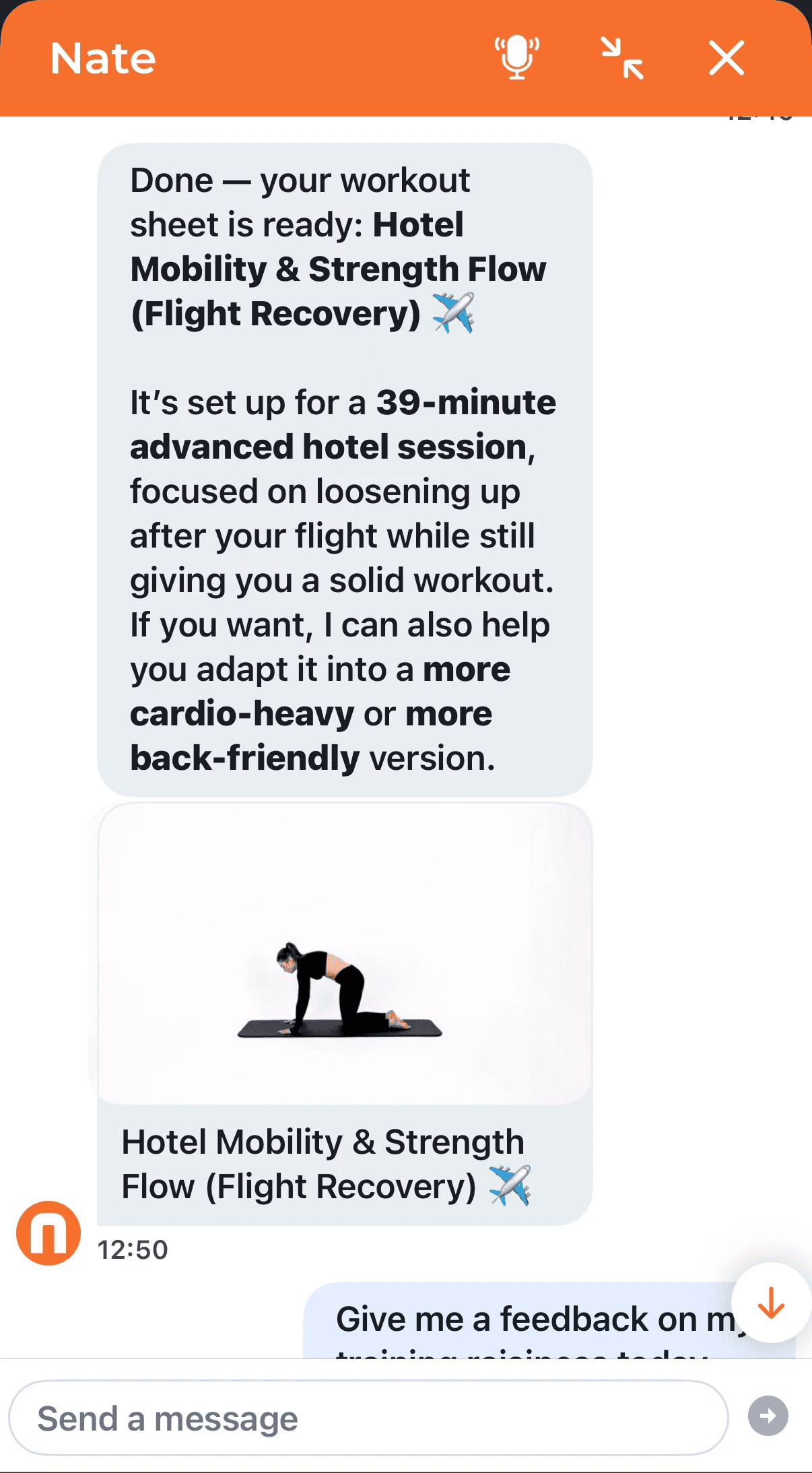
Nate Assistant works for the trainer. You open a client and the whole picture is already there: every session in your studio, sleep, stress and heart rate variability from their wearable, the outdoor runs they never mention. Then you ask, the way you would in a chat, and Nate prepares the three things you used to do by hand: the analysis of the last weeks, the next programme built on your method and your own videos, and the follow-up message drafted in your voice. You read, edit and approve. Nothing reaches the client without you. The preparation that used to take an evening is ready before you sit down; what stays yours is the judgement.
4. The client who slowly disappears
Clients rarely quit with an email. They skip one session, train alone for a week, then go quiet. By the time you notice, the decision is made. What you were missing is the signal: what happened on the days they were not with you, and who answered them at 10 pm when they asked whether to train tomorrow.
Uptivo sees those days. Live heart rate from the wearable the client already owns, Garmin, Apple Watch, Whoop, Polar, Myzone or any Bluetooth LE or ANT+ strap, with zones calculated from their own maximum. In the studio it is on your screen; when the client trains at home or travels, they join your session remotely with the same timers and the same live effort data as someone on your floor. The Zone NYC, a Manhattan PT studio, uses exactly this to keep clients who fly out on Monday and come back on Friday.
For the hours you cannot cover there is Nate Coach: assigned by you to the clients you already follow, it knows the plan you wrote and the data behind it, and it answers them tonight, not on Thursday. A client who slept badly asks whether to train; Nate reads their HRV and sleep, tells them to keep the session and pull back the last rounds, and the next morning you walk in already briefed. Their conversations stay private; what reaches you is the training: the programme, what was completed, the trend. It is also the first thing you can sell to clients who moved away or who travel: coaching that does not stop at your door.
5. The renewal conversation with nothing to show
At the end of a ten-session pack the client asks themselves one question: is this working? If the only evidence is the mirror and your word, you lose that conversation more often than you should, because the first months are exactly when the body changes least and the habit is weakest.
Every monitored session in Uptivo becomes a workout report and Uptivo Performance Points: one simple score built on World Health Organization activity guidelines, with ten levels that reward showing up month after month. Time in zone, the trend over weeks, the level earned: the client sees progress before the mirror shows it, and at renewal you open their history instead of arguing. This is the same mechanism clubs use for retention, applied to one person at a time.
6. "Sorry, I can't make it today"
The session was booked on WhatsApp on Tuesday. On Thursday at 6:40 the message arrives: sorry, I can't make it. The hour is gone, nobody else can take it, and now you have to decide whether to charge a person you like for a session they did not do. Most trainers don't, and most trainers lose a few hundred a month that way, plus the payments chased by bank transfer and the count of sessions left in the pack kept in your head.
In Uptivo the session is booked in the same app the client trains with, against a pack they have already paid for: recurring plans, session packs, trial offers and automatic renewals, paid by card in the app or recorded by hand when a client pays cash. You set the cancellation window once, 24 hours or whatever your policy is, and from then on the rule decides, not a conversation. Cancel in time and the session goes back into the pack; cancel late and it counts as used, and the client knew that when they booked. The Uptivo CRM keeps every client, lead and expired pack in one list, and the pack counts down session by session, so the tenth one does not pass unnoticed and the renewal conversation starts before the last session, not after.
Your name on it
For a studio building its own name, the client app can be delivered under your brand: The Zone NYC's clients open The Zone's app, not ours, and wear chest straps with the studio's logo. Uptivo sensors are available for clients who want one. See the Uptivo sensors.
What Uptivo is not
It does not write meal plans. A diet is a prescription, and a prescription is a dietitian's job. Nate gives advice, the kind a good trainer gives: what to drink after a run in the heat, what to eat before a morning session, when to recover. That is the line, and Uptivo keeps it. And it is not a generic AI: Nate writes for the client in front of you, from the sessions, the heart rate and the recovery data you have been collecting, not from the internet.
If you run a PT studio
The same platform carries memberships, access control by QR code with Uptivo Gate for early-morning sessions without anyone at the desk, and Uptivo Dash, where revenue, attendance and a churn risk score for every client sit on one screen for you and your trainers. One platform, one client history. See the full setup.
How to start without changing everything
Uptivo Snap puts live heart rate on any screen from a browser in about a minute, with a seven-day free trial and no hardware: enough to see how your clients react. Programming and the client app run on their own or inside the platform, so bookings and payments can come later or stay where they are. The heart-rate license is flat, with no per-client metering; Nate Coach is licensed per client, so you pay for it only for the people you assign it to. Pricing depends on how many clients you carry and which modules you use, and you do not need a call to know it: build your own quote in a few minutes at Get a Quote, the same link you see at the top of this page. See how Uptivo compares with the trainer apps you may be using today.
Frequently asked questions
Do my clients need to buy a heart rate monitor?
No. Any Bluetooth LE or ANT+ device works, including the watch or strap they already own. A client without a wearable still has the plan, the videos and the follow-up; the live data needs a sensor, and Uptivo sensors are an option for those who want one.
Where do my videos go?
Into your Uptivo library, next to the professional ones, and from there into the plans of the clients you assign them to. They are not uploaded to any public platform, and there is no storage limit and no per-video cost.
Does Nate talk to my clients instead of me?
Nate Assistant never does: it prepares the analysis, the programme and the message, and you approve, edit or rewrite before anything is sent. Nate Coach is different and optional: you assign it to a client, and it answers them directly at the hours you cannot, following the plan you wrote. You decide who gets it.
Does it work for online and hybrid clients?
Yes. The plan, the videos and the follow-up do not depend on the client being in the room, and remote clients can join a live session with the same effort data as someone on your floor.
What happens to my data if I leave?
Your client database can be exported. The clients are yours, and so is the list.
How long does it take to set up?
Snap runs in about a minute. Clients install the app, create their account and connect their watch on their own, with nothing for you to explain. If you work inside a club with its own management system, the open API connects the two.
Related: fitness studio software, gym management software and how heart-rate training drives retention.
Talk it through with someone who trains people for a living
Tell us how many clients you carry, how you deliver plans today and where people usually drop off. Fifteen minutes is enough to tell whether Uptivo changes anything for you. Speak to an expert.